
When someone searches “near me” or adds a city to their search, Google shows a map pack of local businesses before the regular results. If your business isn’t in that pack, you’re missing customers who are ready to buy. This local SEO checklist walks you through the 10 steps that matter most in 2026, from your Google Business Profile to reviews, local pages and tracking.
How Google Ranks Local Businesses
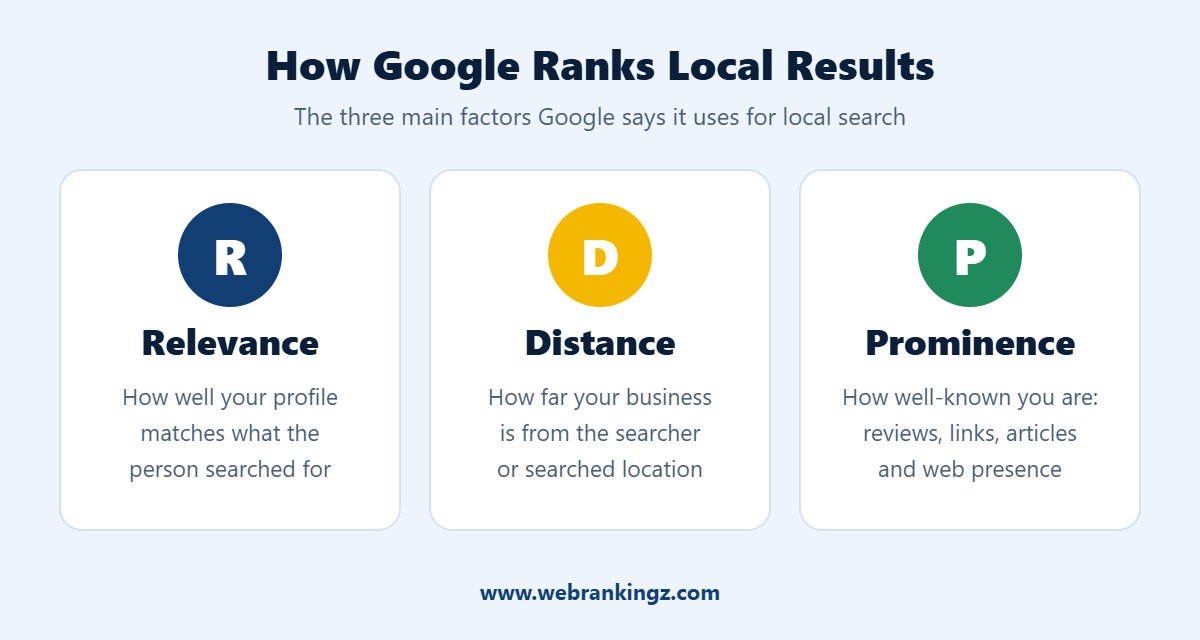
Google explains that local results are based mainly on three factors (source: Google Business Profile Help):
- Relevance: how well your profile matches what the person searched for.
- Distance: how far your business is from the searcher or the location in their search.
- Prominence: how well-known your business is, based on reviews, links, articles and your wider web presence.
You can’t change your distance from a searcher, but you can improve relevance and prominence. That’s exactly what the checklist below is for.
The 10-Step Local SEO Checklist for 2026
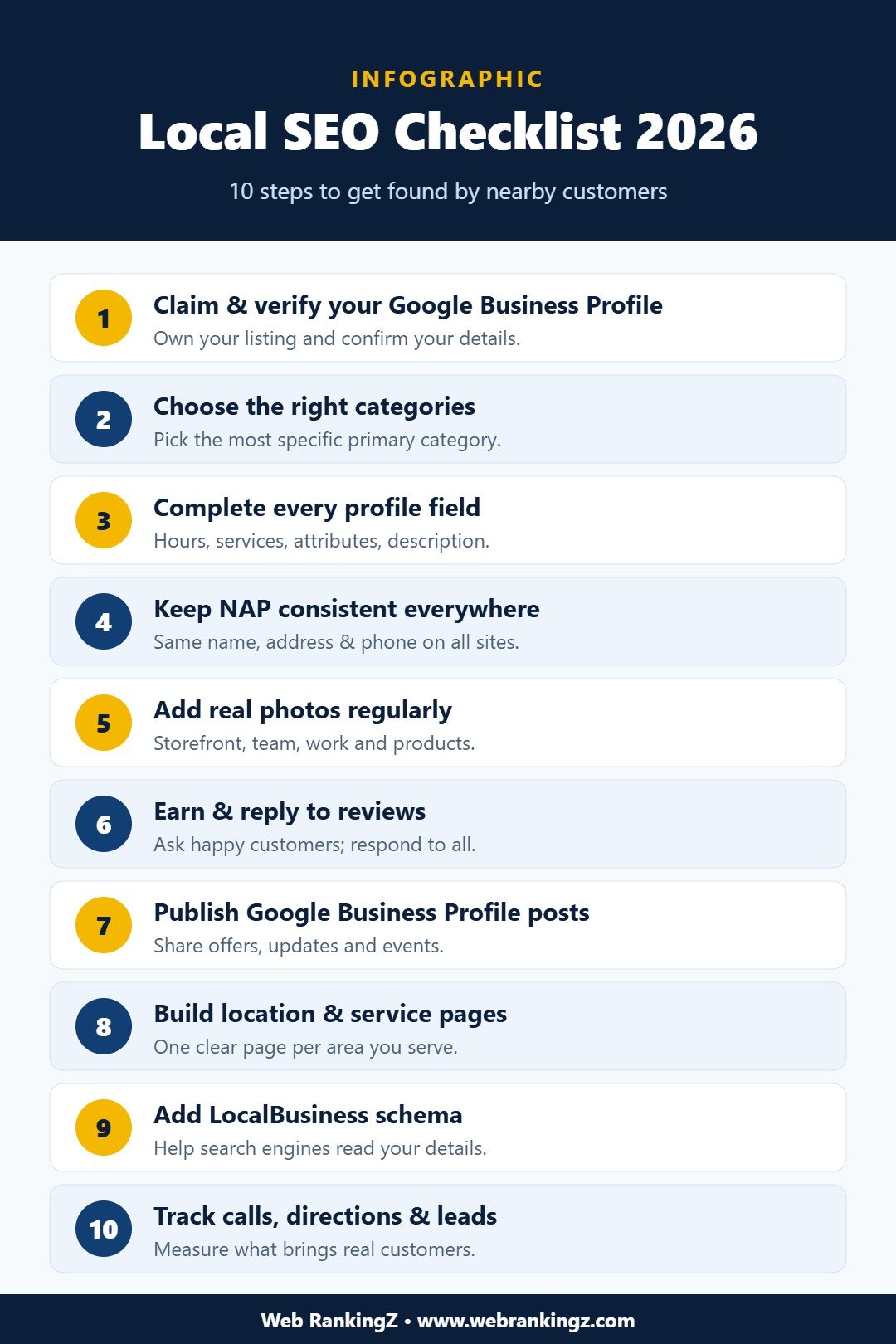
1. Claim and Verify Your Google Business Profile
Your Google Business Profile is the foundation of local SEO. Claim it, complete verification, and make sure only trusted people on your team have access. An unverified or unclaimed profile can be edited by others and won’t perform well.
2. Choose the Right Categories
Your primary category has a big influence on which searches you appear for. Choose the most specific option that describes your main service (for example, “Internet marketing service” rather than a generic category), then add a few relevant secondary categories.
3. Complete Every Profile Field
Fill in your business description, opening hours, holiday hours, services, products, service areas and attributes. A complete profile gives Google more information to match you with relevant searches and gives customers confidence to contact you.
4. Keep Your NAP Consistent Everywhere
NAP stands for Name, Address and Phone number. Use exactly the same details on your website, Google Business Profile, social media and directories. Inconsistent details confuse both search engines and customers.
5. Add Real Photos Regularly
Upload genuine photos of your storefront, team, work and products. Avoid generic stock images. Fresh, authentic photos make your listing more engaging and show that your business is active.
6. Earn and Reply to Reviews
Reviews are one of the strongest signals of prominence and trust. Ask satisfied customers for a review after a job well done, make it easy with a direct review link, and respond to every review, positive or negative, in a professional and helpful way. Never buy or fake reviews; it breaks Google’s policies and can get your profile suspended.
7. Publish Google Business Profile Posts
Use posts to share offers, events, new services and updates. Posts keep your profile fresh and give searchers another reason to choose you.
8. Build Location and Service Pages on Your Website
Create a dedicated, useful page for each main service and each area you serve. Include local details, real examples, FAQs and a clear call to action. Avoid thin pages that only swap the city name; Google rewards helpful, original content.
9. Add LocalBusiness Schema Markup
Structured data such as LocalBusiness and Organization schema helps search engines understand your business name, address, hours and contact details. SEO plugins like Rank Math make this easy to set up on WordPress.
10. Track Calls, Direction Requests and Leads
Use your Google Business Profile performance report and Google Analytics 4 to track calls, website clicks, direction requests and form submissions. Add UTM tags to your profile’s website link so you can see exactly how many visitors and leads come from your listing.
Local SEO and AI Search
AI Overviews and AI assistants increasingly answer local questions by drawing on business listings, reviews and trusted websites. The same steps in this checklist (accurate profiles, strong reviews and helpful local pages) also improve your chances of being recommended in AI-powered results. Learn more in our guide to getting your business cited in AI search.
Common Local SEO Mistakes to Avoid
- Using different business names or phone numbers across websites
- Adding keywords or city names to your business name on Google
- Ignoring negative reviews instead of responding
- Creating near-identical location pages
- Setting up your profile once and never updating it
Frequently Asked Questions
How long does local SEO take to show results?
Quick fixes such as completing your profile can make a difference within weeks, while building reviews, citations and local content is an ongoing process that typically shows stronger results over several months.
Do I need a physical address for local SEO?
No. Service-area businesses that visit customers can hide their address on Google Business Profile and list the areas they serve instead.
Is local SEO only for small businesses?
No. Any business that serves customers in specific locations, from a single shop to a multi-location brand, benefits from local SEO.
Get Help with Local SEO
Following this local SEO checklist will put your business in a much stronger position to appear in Google Maps and local search. If you’d like an expert team to handle it for you, explore our Local SEO services and SEO services, or request a free quote today.


